The tape and fixing a number
Every sum you finish goes onto the tape above the display, so you can check what you typed against what you got. When a number in the sum is wrong you do not start again: tap that number and retype it alone.
Step by step
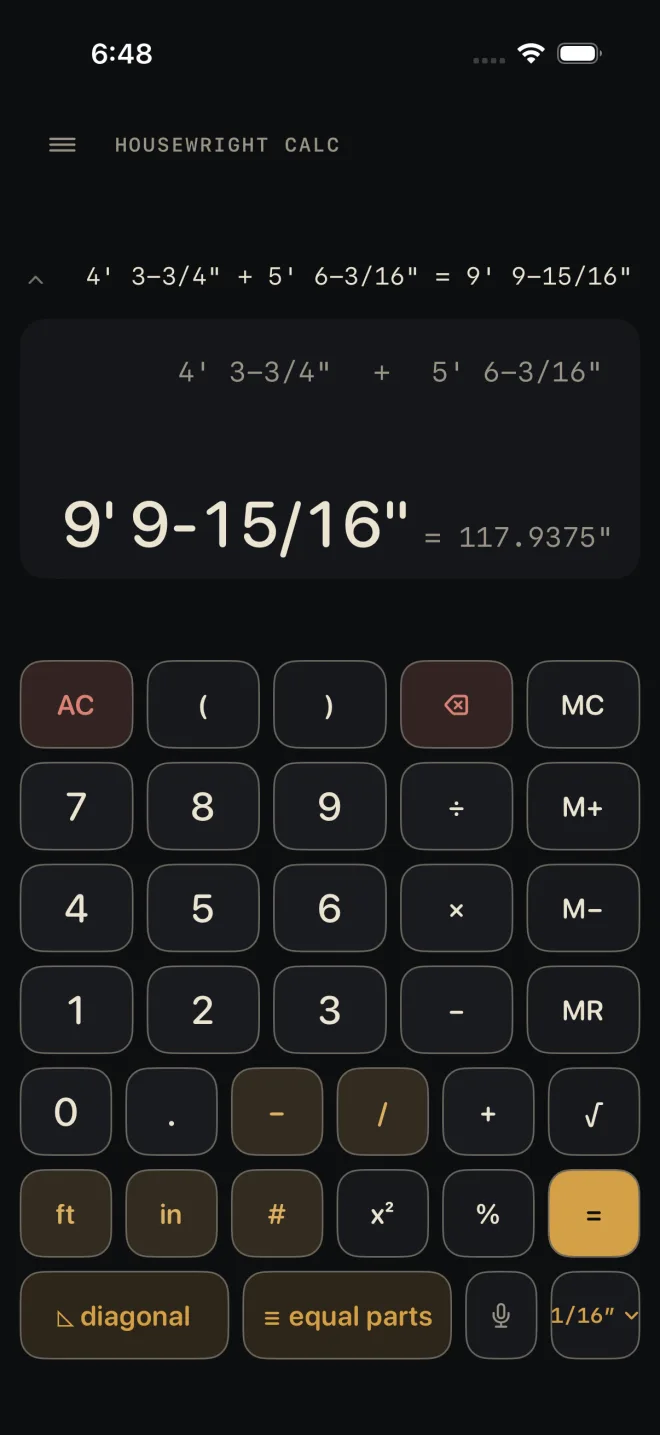
You added 4' 3-3/4" and 5' 6-3/16" and the second board was really 5' 7-3/16".
 1
3
1
3
- Tap 5' 6-3/16" in the line above the answer. It lights up. This works before or after =.
- Type the right number the usual way: 5 ft 7 – 3 / 1 6. What you type shows in place of the old number, and the big line works out the new answer as you go. While the entry is half typed the old answer stays on screen, dimmed.
- Tap the answer, or press =, to finish. Pressing = also puts the corrected sum on the tape as a new line — 4' 3-3/4" + 5' 7-3/16" = 9' 10-15/16" — and the first line stays as it was. Tapping another number moves the edit there instead.
To change a sign, tap the +, −, × or ÷ in the line and press the operator key you meant. Number keys do nothing while a sign is selected.
With a number selected and nothing typed yet, ⌫ empties it so you can see you are starting clean. If you leave it empty and tap away, it keeps the value it had.
The tape
 1
2
3
1
2
3
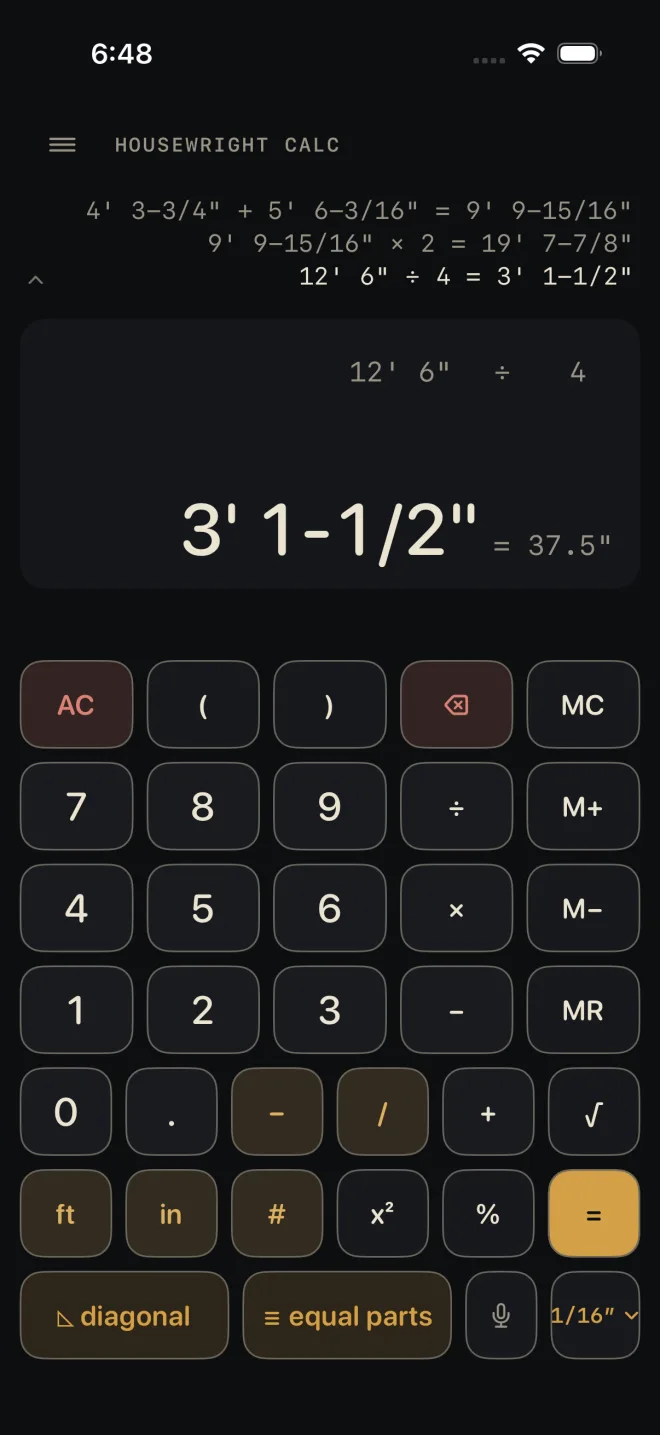
Each time you press = the sum and its answer are added as one line. The strip shows the last three lines, the newest at the bottom. On a short phone it may show fewer, never less than one.
Tap anywhere on the strip — the small chevron at its left edge marks it — to open HISTORY, the whole tape, oldest at the top. It holds the last 50 sums. Tap a line and its answer drops into the calculator as your current number, ready for the next key. Tap DONE or drag the sheet down to close it without picking anything.
The decimal twin
Beside a finished length the display shows the same answer in decimal inches: 9' 9-15/16" carries = 117.9375". It is there for a saw stop, a digital readout or a supplier who works in decimals. It shows only for a length answer — not while you are typing, and not for an area or a plain number. If the decimal cannot be written out exactly it starts with ≈ instead of =.
Backspace and AC
- ⌫ takes back one key at a time from the number you are typing — a digit, the in mark, the dash, the ft. With nothing typed it takes off the last sign or open parenthesis, so 2 + 2 + goes back to 2 + 2. It never removes a number that is already in the sum; tap that number and retype it.
- AC clears the number you are typing and the whole sum. The tape and the memory are kept.
Common mistakes
- Pressing AC to fix one wrong number in a long sum. Tap the number instead.
- Trying to tap a parenthesis. Parentheses cannot be edited; they show dimmed. The same goes for the numbers in a percentage, such as 100 + 10 % — clear and retype that sum.
- An edit that breaks the sum, such as changing a divisor to 0. The big line shows — and a red line says why. The sum stays as you left it. Tap the number again and fix it.