Send to the Cut List Optimizer
Once a calculator has told you what to cut, the next question is how many sticks to buy. The OPTIMIZE button sends the cut lengths straight to the Cut List Optimizer, which packs them onto stock and tells you how many boards to order. Nothing is retyped. The lengths go across at full precision, not as the rounded figures on the screen.
OPTIMIZE is on two calculators: Stairs and Hip & Valley.
Pro. Stairs, Hip & Valley and the Cut List Optimizer are all Pro
calculators. See Free and Pro.
Step by step
 2
2
- Work out the job in Stairs or Hip & Valley with your own measurements. While every input is still a sample value, the button row at the bottom is dimmed.
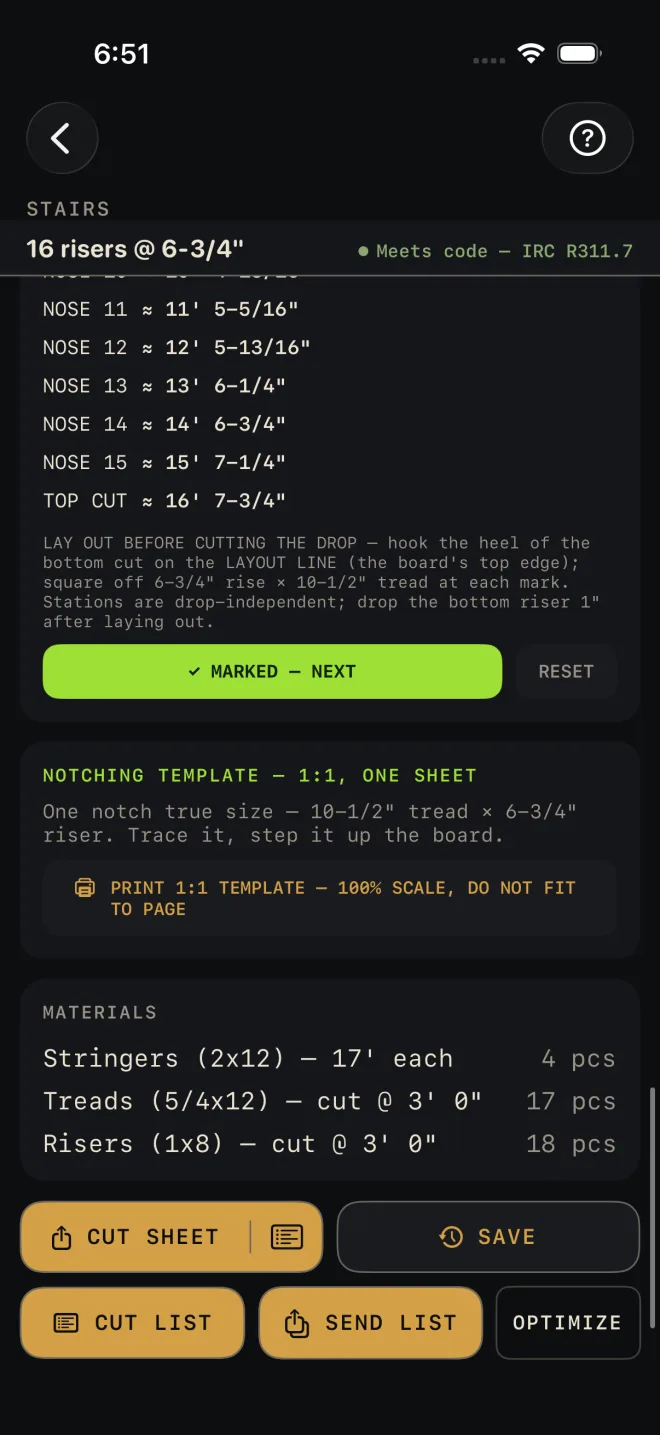
- Scroll to the bottom of the calculator. OPTIMIZE is on the second line of buttons, after CUT LIST and SEND LIST. Tap it.
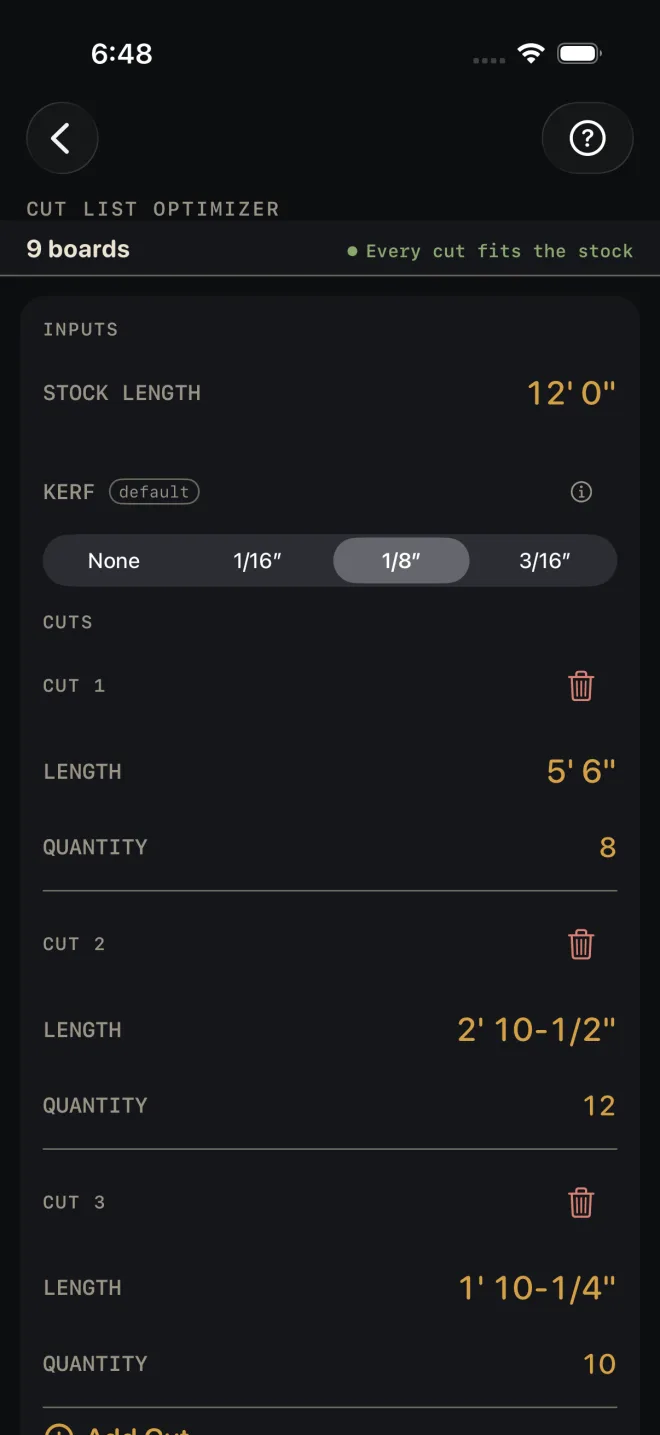
- The Cut List Optimizer opens with the parts already in it. STOCK LENGTH is set to a suggested length, and each part is a row under CUTS with its LENGTH and QUANTITY.
- Check STOCK LENGTH against what your yard carries and change it if you need to. Set KERF for your blade. Sending parts does not change the kerf.
- Read the result at the top. "Every cut fits the stock" means the list packs. Then use the optimizer as usual: add rows, change quantities, export a cut sheet or start a cut list.
 3
4
5
3
4
5
What gets sent
The optimizer packs one kind of stock at a time, so each calculator sends the one set of parts that comes off the same stock.
- Stairs sends the stringers: one row, at the tip-to-tip length of the board, with the quantity from STRINGERS. Tip to tip is the board the stock has to hold. It is longer than the floor-to-floor diagonal. Treads and risers are not sent because they come off different stock.
- Hip & Valley sends the jacks: one row for each jack length, at the full length of the stick including the tail. The quantity is the pairs at each corner multiplied by CORNERS/VALLEYS. The hip or valley itself and the commons are not sent.
- The suggested stock length is the next even-foot length that holds the longest part. It stops at 24'. When the longest part is over that, Stairs says so under the buttons before you send.
Things to know
- Sending replaces the list. The parts take the place of whatever rows were in the optimizer.
- They arrive once. After the parts land they are yours to edit. Leaving the optimizer and coming back does not overwrite your changes. Tap OPTIMIZE again to send a fresh set.
If it doesn't work
- OPTIMIZE is dimmed. Every input is still the sample value. The line under the buttons names every dimmed button on that screen, ending with "or send parts to the optimizer." Change any input.
- The upgrade screen opened instead of the optimizer. The Cut List Optimizer needs Pro. The parts are held for 15 minutes, so if you unlock Pro straight away they are there when the optimizer opens. After that, tap OPTIMIZE again.
- Nothing happened. There was nothing to send. Parts with no length or a quantity of zero are left out, and if that leaves none the optimizer does not open. On Hip & Valley this means the result has no jacks.
- The optimizer says DOES NOT FIT STOCK. A part is longer than STOCK LENGTH. This happens when a stringer or jack is longer than the 24' suggestion. Enter the stock you will really use. If nothing that long exists, the piece has to be made another way.