The construction calculator.
Exact feet-inch-fraction math. 34 trade calculators, each with a material takeoff. Real technical drawings with the code check on them. One price and no subscription, ever.
Works with no signal. No account, no ads, nothing collected.
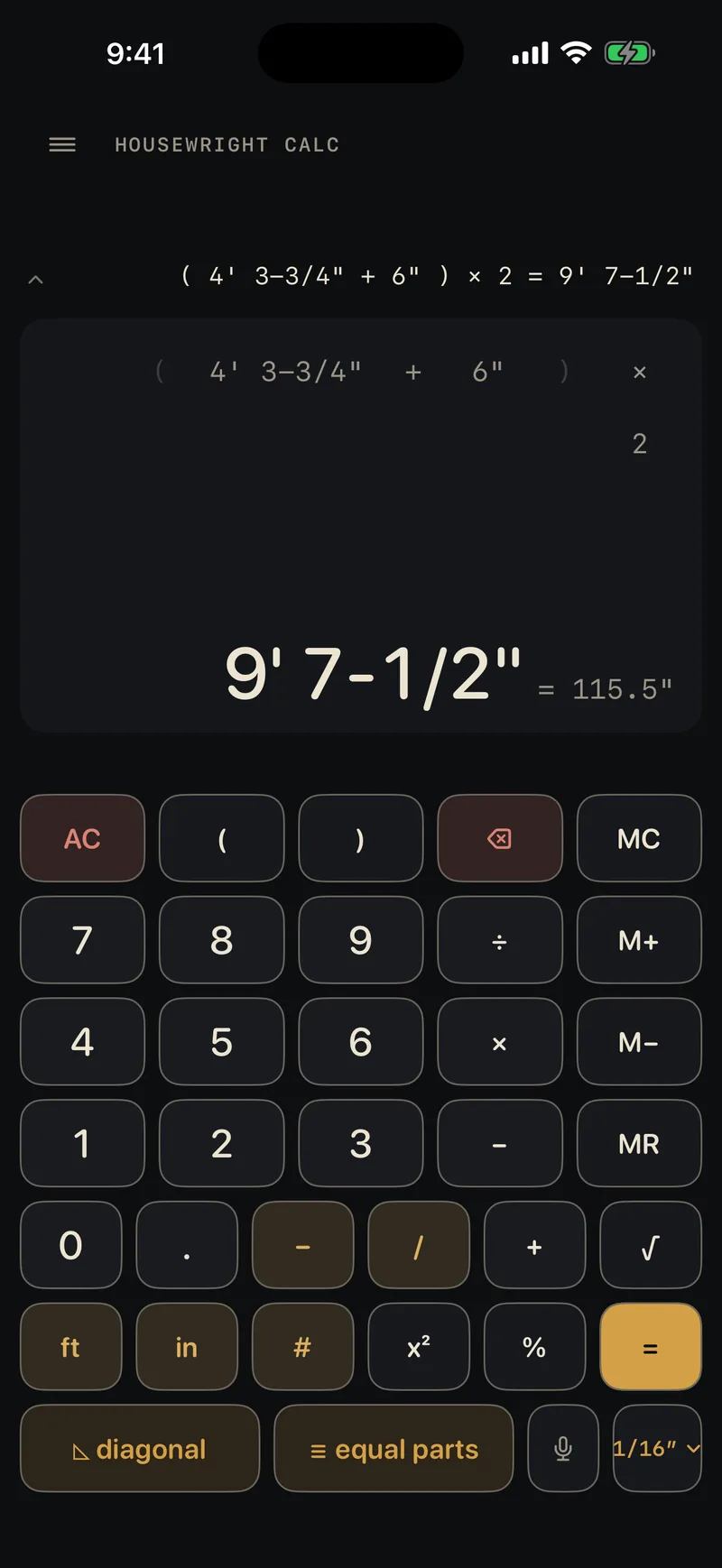
Feet, inches and fractions, the way you say them.
Type 4' 3-3/4" + 5' 6-3/16" and get 9' 9-15/16". It is the exact answer, held as a fraction the whole way through, never a decimal that got rounded somewhere in the middle. People cut lumber from these numbers.
Pick your precision
1/2″ down to 1/64″. When a result can't land on that grid the app shows ≈ and doesn't pretend.
Parentheses
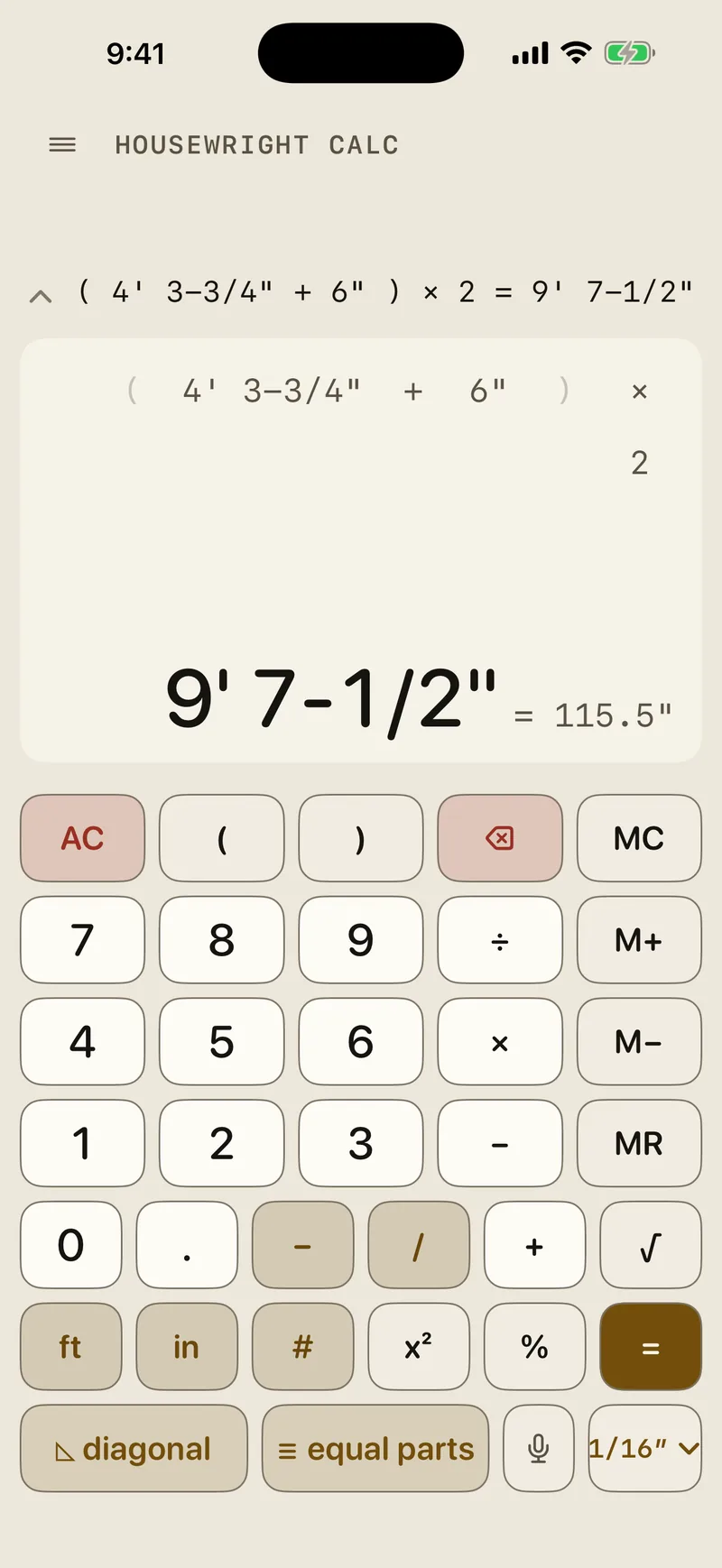
(4' 3-3/4" + 5' 6-3/16") × 2 is 19' 7-7/8". One line, no scratch paper.
Fix one number
Tap any term in the calculation and retype just that one.
A tape you can read back
Every calculation stays on the tape with its decimal twin beside it.
Diagonal and equal parts
Square a layout or space a run of pickets without leaving the keypad.
Three calculations from the app's own demo script, replayed key by key.
Every calculator a residential crew reaches for.
One app, one exact math engine under all of it. Every calculator ends in a material takeoff: the lumber, sheets, concrete or pieces to order for what you just sized, waste included, ready for the supply house. Code checks cite the IRC section and tell you to verify local amendments.
Structure
- Framing
- Floor joist
- Roof rafter
- Hip & valley
- Header sizing
- Beam sizing
- TJI joist guide
Foundation and site
- Concrete
- Masonry
- Excavation
- Grade / slope
- Retaining wall
Exterior
- Roofing
- Siding
- Deck
- Fence
Interior
- Drywall
- Flooring
- Trim
- Crown molding
- Insulation
- Paint
Layout and shop
- Stairs
- Baluster spacing
- Rough opening
- Arc / circle
- Plywood
- Board feet
- Unit converter
- Cut list optimizer
Mechanical and electrical
- Electrical
- Voltage drop
- Plumbing
- Water heater
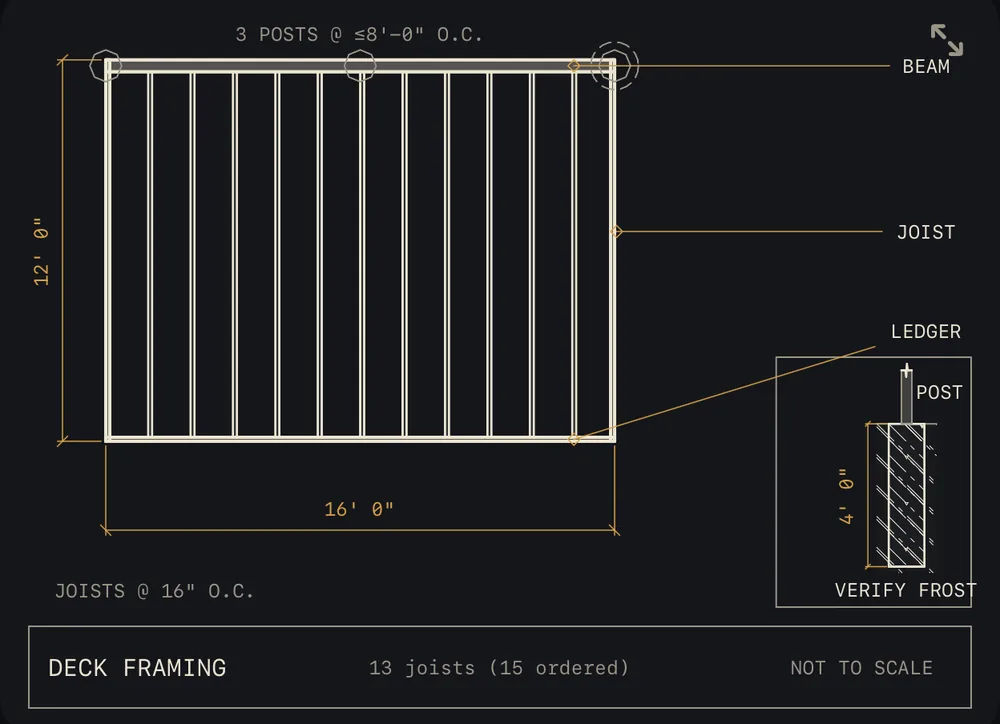
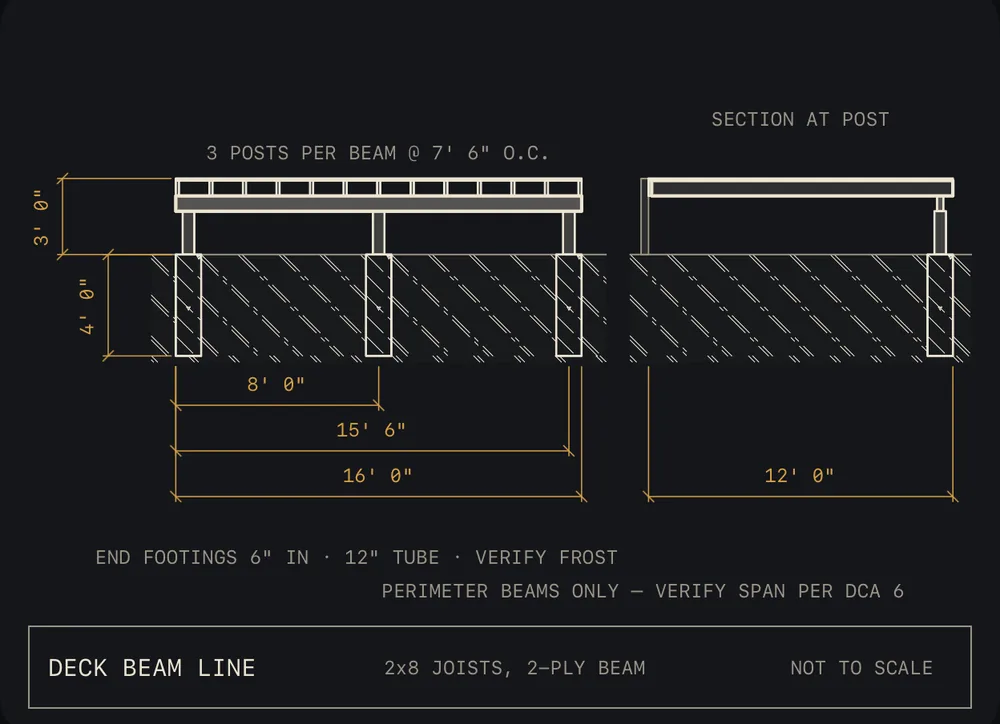
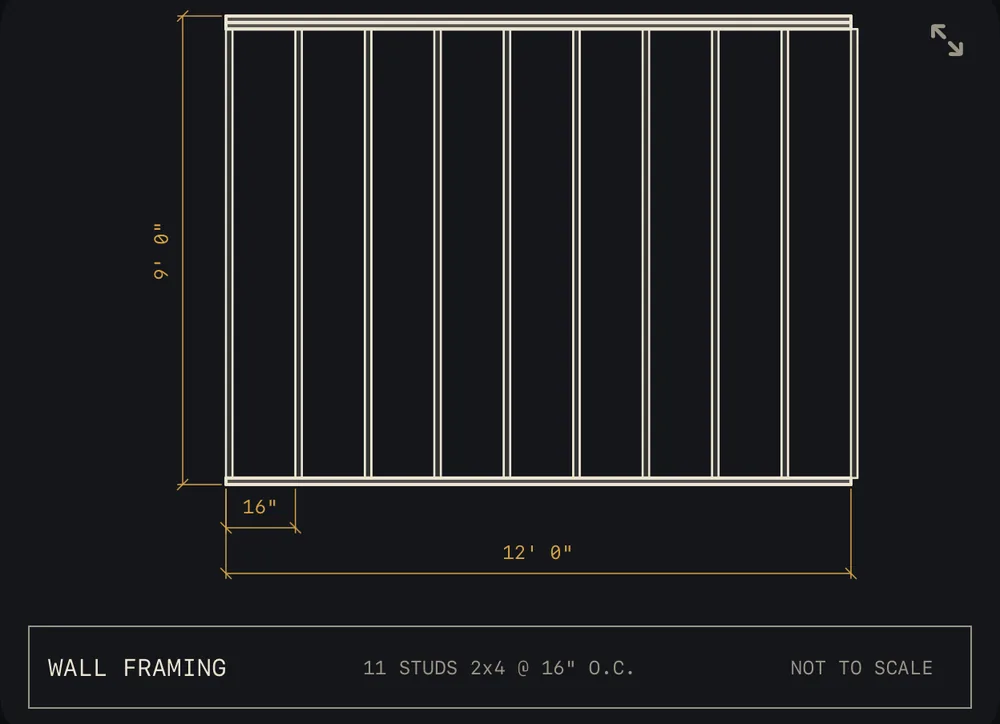
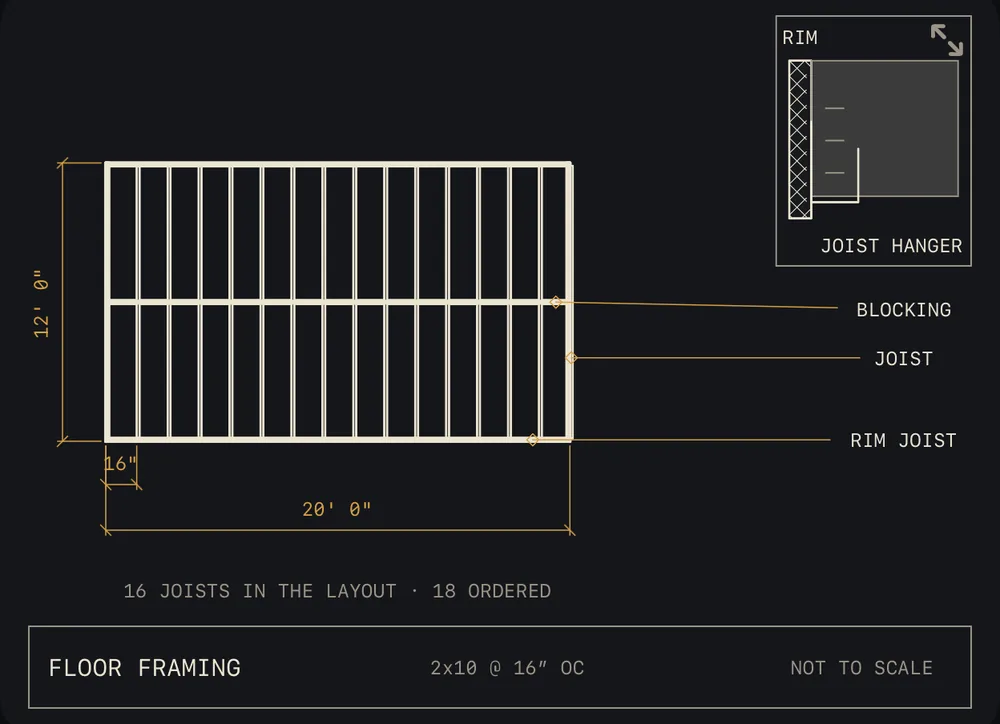
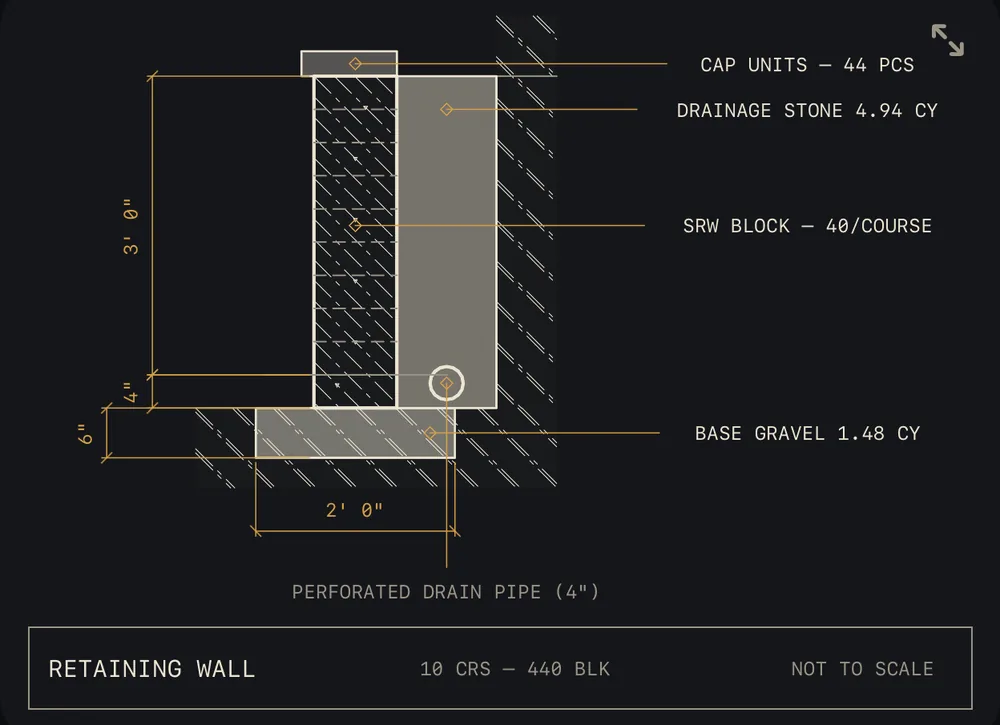
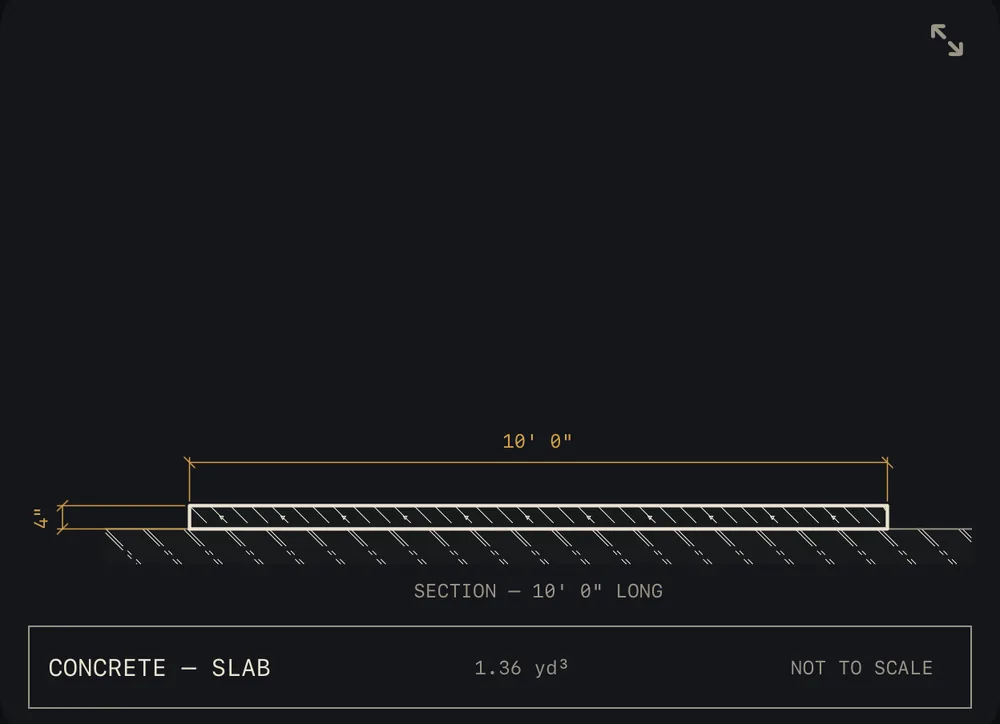
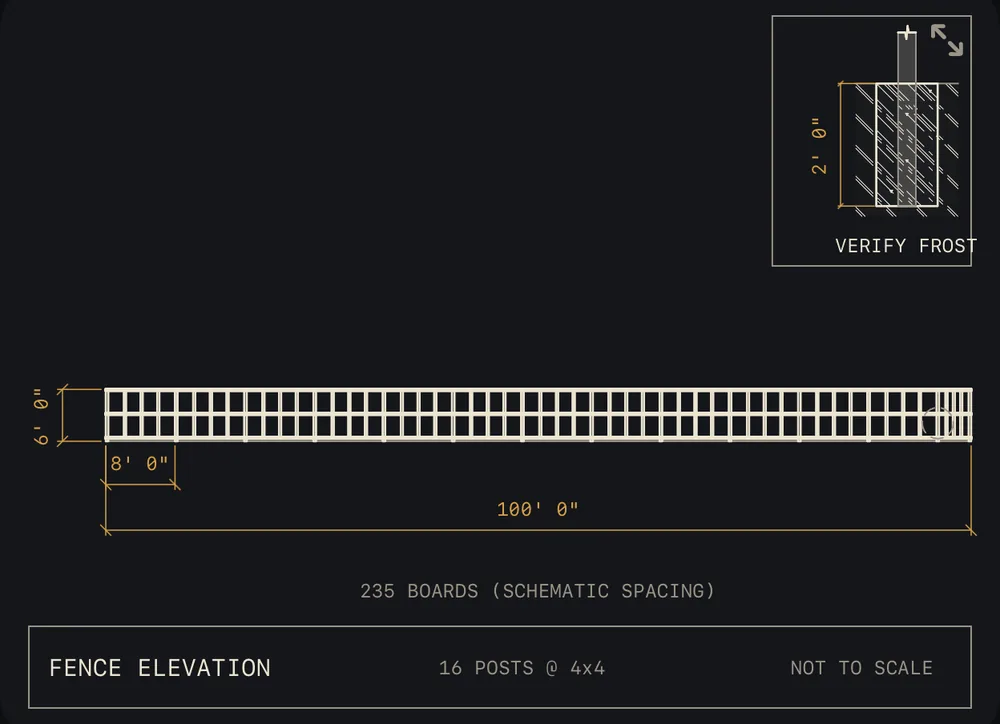
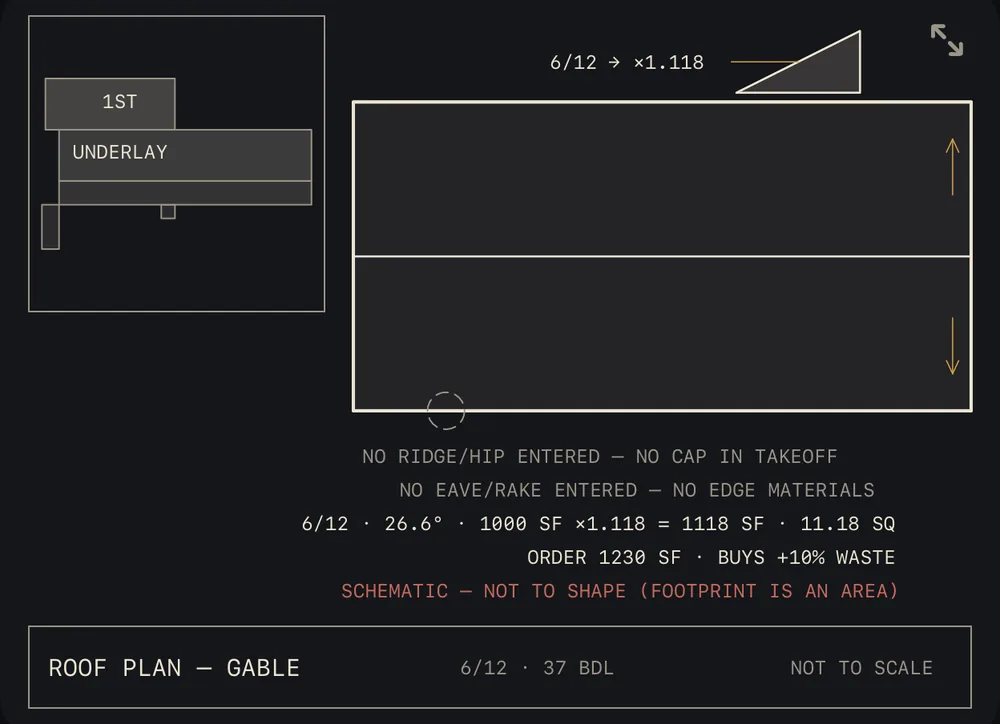
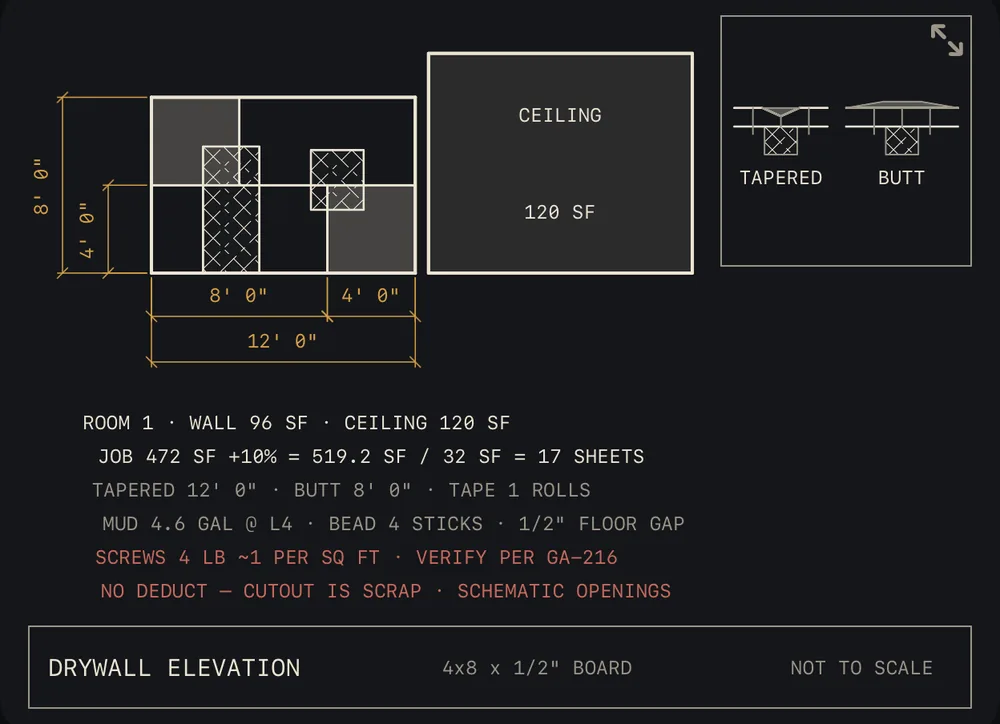
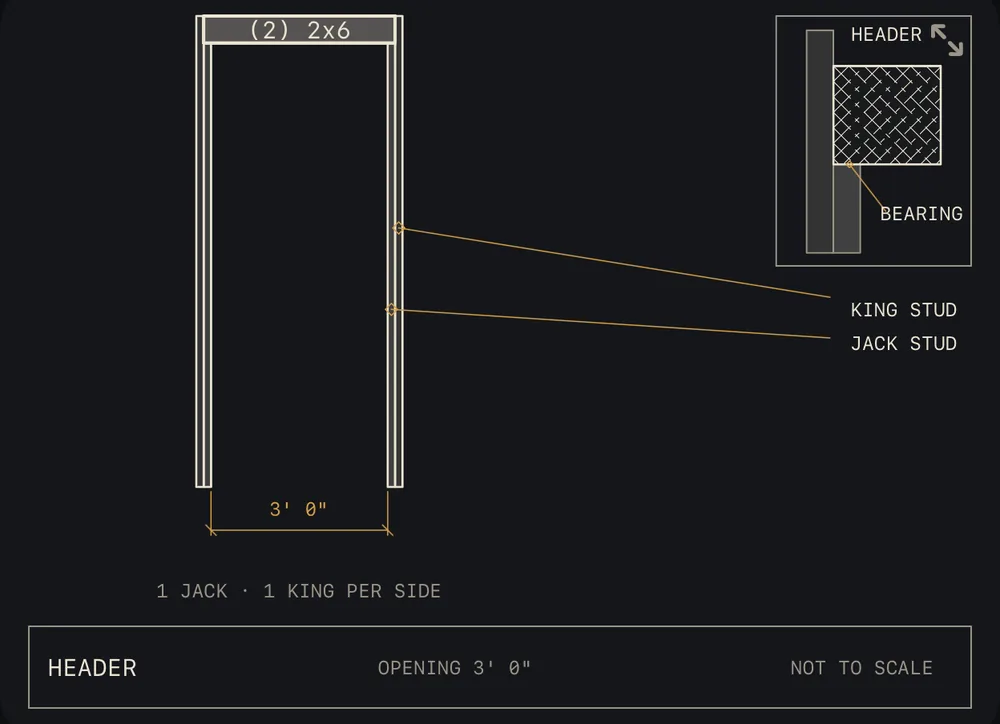
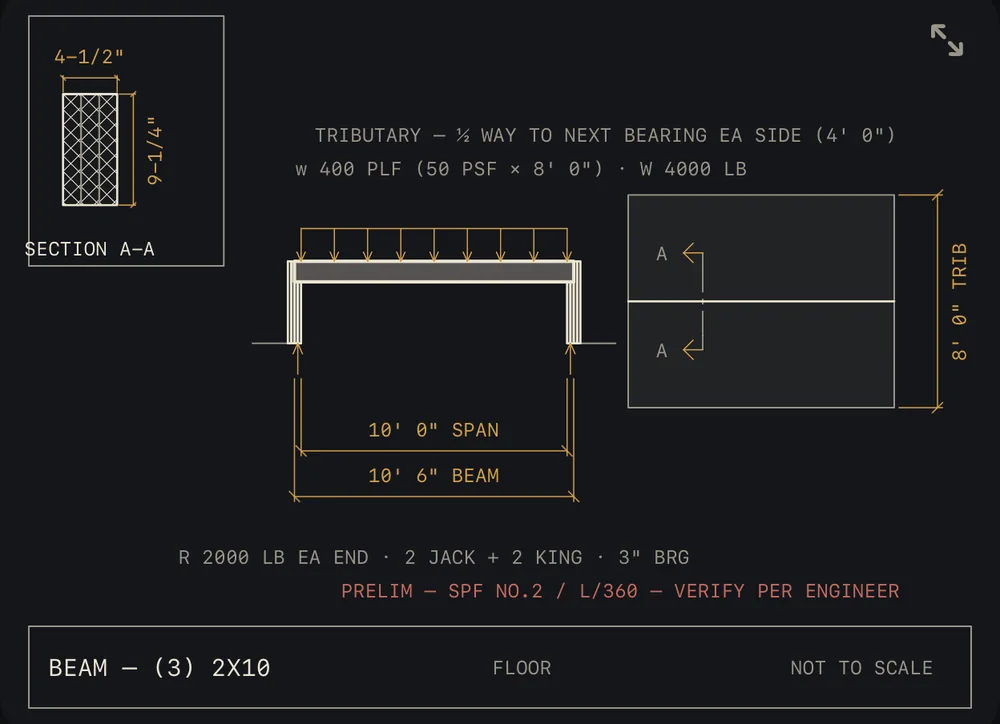
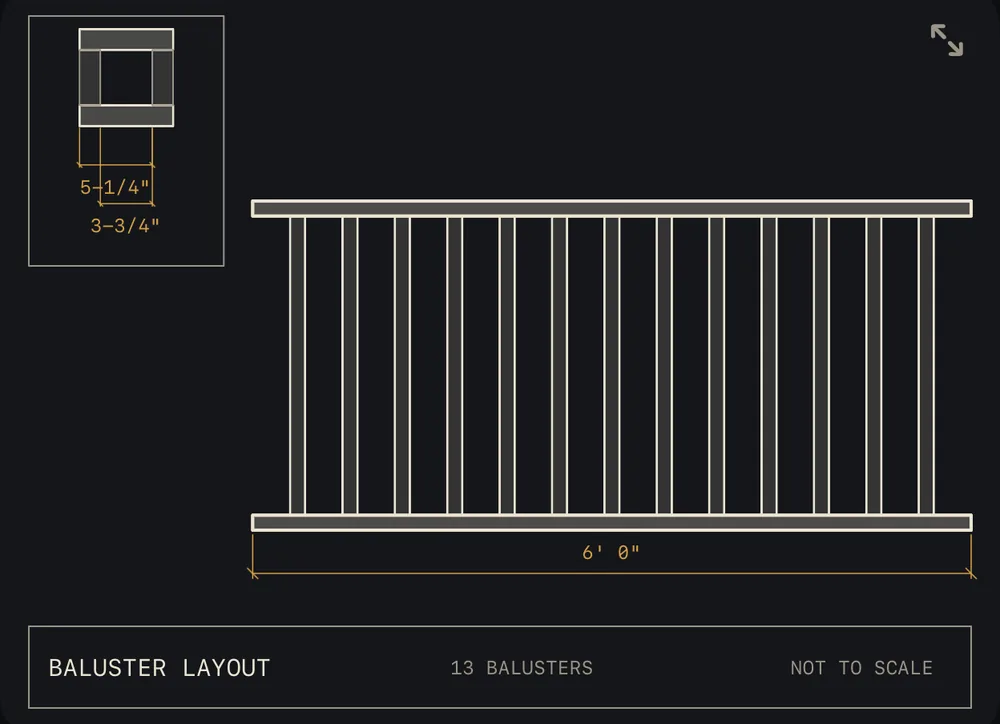
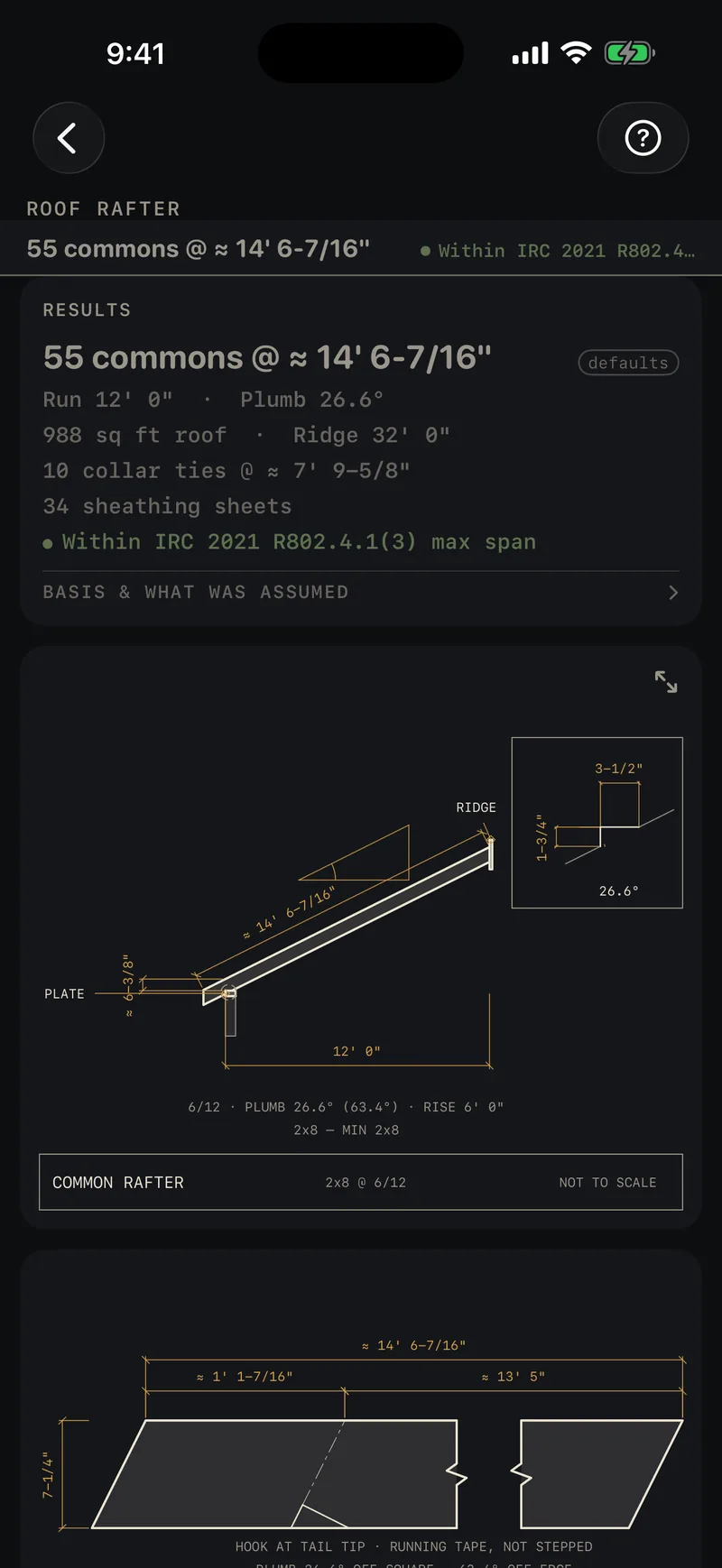
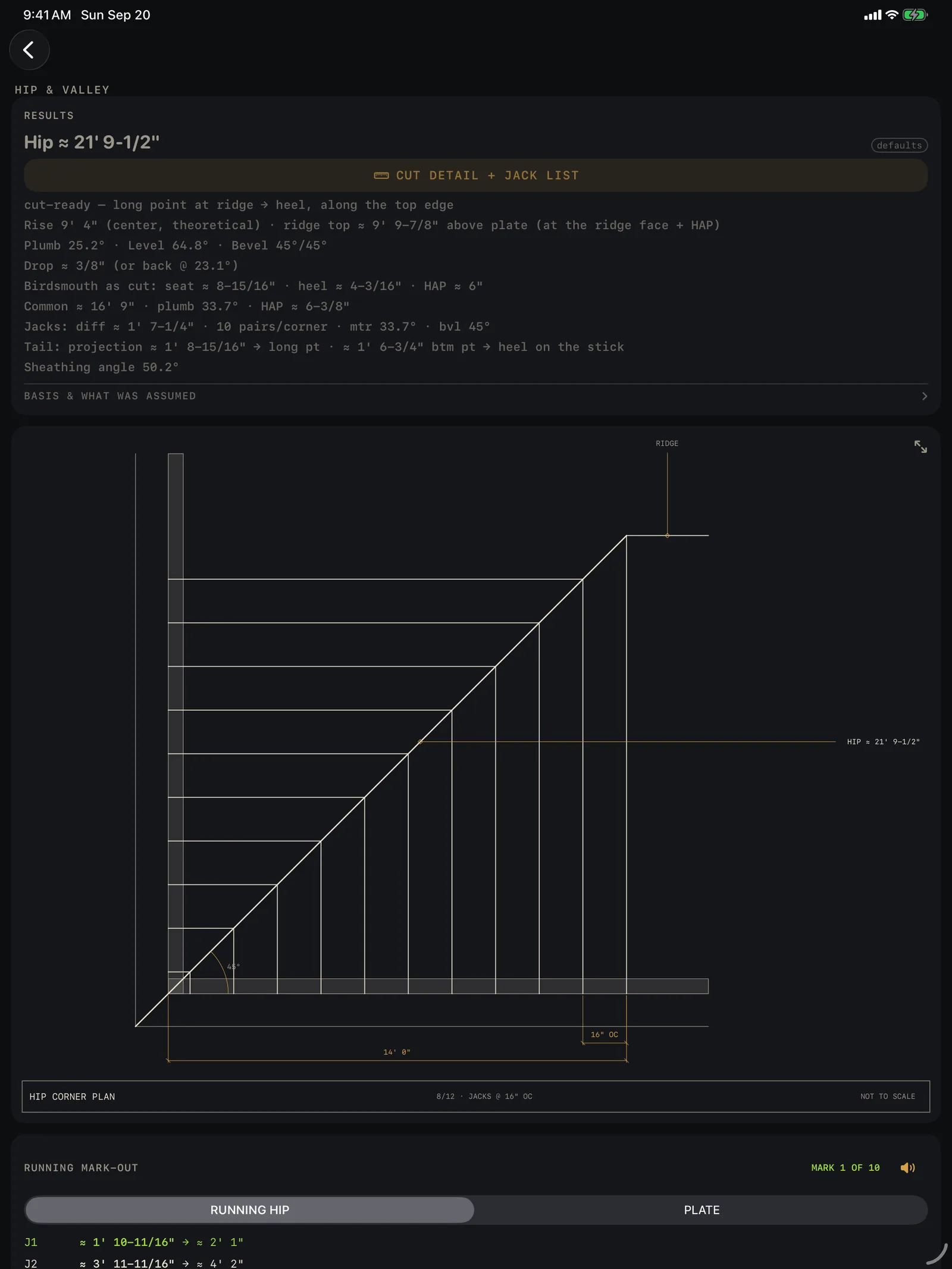
Drawings straight out of the app, on its default inputs. 31 of the 34 calculators draw what they calculate.
This sheet, as it sits on your screen. In the app it redraws every time you change a number.
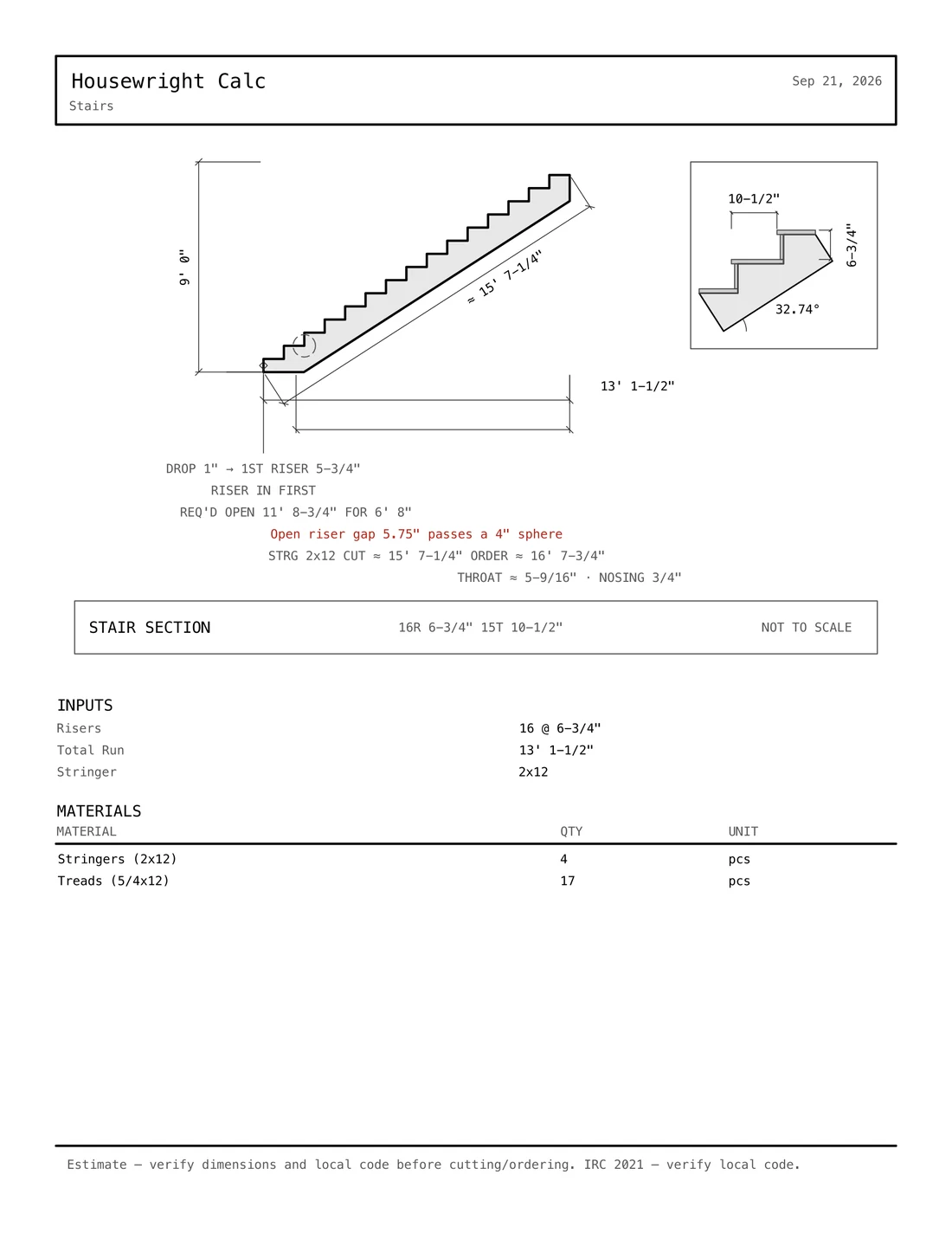
The drawing, with the code check on it.
Enter a nine-foot rise. Calc lays out the stringer, dimensions it to convention, and flags the open-riser rule that stair fails, in red, on the drawing, with the IRC section beside it.
Stairs
Riser and tread limits, headroom, the stringer board set-out as its own sheet.
Roof framing
Rafter elevations with the birdsmouth detail, hip and valley cuts, the jack list, span tables checked.
Sized members
Headers, beams and joists carry engineer-verification language. We don't soften it.
The takeoff under the drawing
What to order for what you sized: 16 joists and 18 hangers, 9 boards of 12-foot stock, 2.6 yards of concrete. It is on the results and on the cut sheet.
Fewest boards, kerf included. Then it follows you to the saw.
Give the optimizer a stock length and your cuts. It gives back the fewest boards, the blade kerf accounted for, honest waste numbers, and which piece comes out of which board.
The app's own demo job: 8 @ 5' 6", 12 @ 2' 10-1/2", 10 @ 1' 10-1/4" from 12' stock, 1/8" kerf. 9 boards, 10.1% waste, every cut fits.
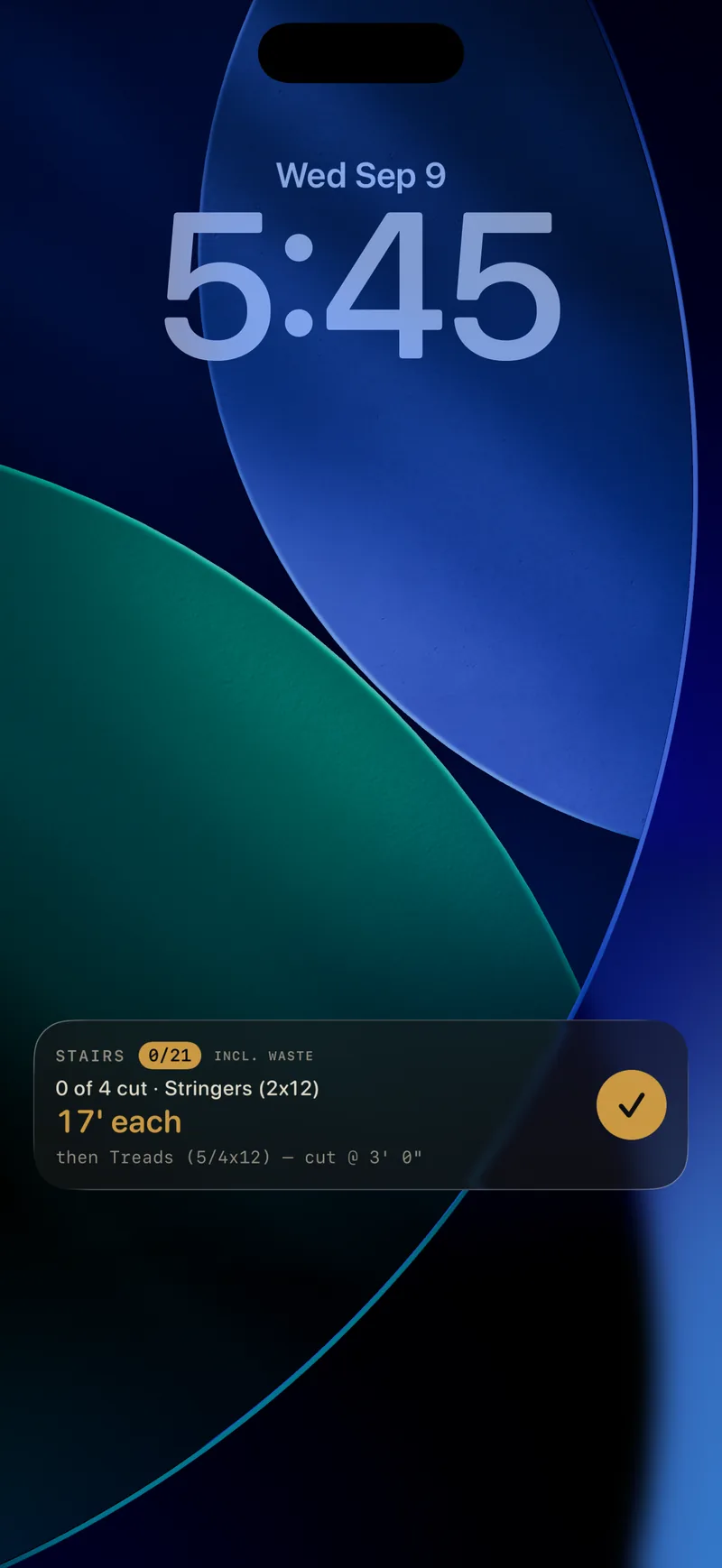
On the Lock Screen
The current cut lives on your Lock Screen and in the Dynamic Island. Check pieces off without unlocking.
Send it to the crew
One tap turns a cut list into a checkable page you can AirDrop or text. No app and no account on their end.
Cut sheets
Clean vector PDFs: the drawing, the inputs and the materials on one page.
Mark-out lists that talk
Hook the tape once and the app reads each mark aloud while both hands stay on the tape.
Gloves on. Sun out. No signal.
Field mode gives you bigger keys and a high-contrast sunlight palette. Haptic keys, with a solid thunk on equals. And none of it needs the internet: everything runs on the phone.
Switches this whole site to the app's sunlight palette.
Say it
"Five foot three and five sixteenths plus twelve and a half." Spoken measurements land as exact fractions, recognised entirely on your phone.
Shoot it
Pair a Bluetooth Bosch laser measure once (GLM 50 C and PLR C-series) and every reading lands in the math.
On iPad too
The same calculators with room for the drawing.
One price. No subscription. Ever.
Free, and not a trial
Forever.
- The feet-inch-fraction calculator, in full
- Unit converter
- Framing, Concrete and Rough Opening, in full
- Voice entry and Bosch laser input
Housewright Calc Pro
$19.99 at launch.
- All 34 calculators
- Technical drawings and cut sheets for every one
- Cut lists on the Lock Screen, and the cut optimizer
- History, PDF export and the Home Screen widgets
- Family Sharing included, every update included
A good tool still wants a second look.
Housewright Calc is a tool in a professional's hands, and the professional is still you. Before you order or cut, check every quantity, cut list and material list against your own plans. Before you build, check every code reference against the rules where you build: your local code and your inspector have the last word, not an app.
We work hard to get the math right, and we fix what we get wrong. Even so, Calc is provided as it is. Housewright can't accept responsibility for loss, damage, delay or lost business that comes from relying on its results, including a result that turns out to be wrong. Its answers are yours to confirm, the way you'd read a tape twice before the saw comes down.
Questions, answered by the person who built it.
Write to housewrightapp@gmail.com.
Step-by-step guides for every calculator, with screenshots: Help & guides. The same pages are inside the app, and work with no signal.
Does it work without a connection?
Yes, all of it. Calc makes no network connections of its own. Voice entry is recognised on the phone, and cut lists you send are generated on the phone and shared by you.
What do you collect?
Nothing. No account, no analytics, no ads. The privacy policy is short because there is almost nothing to tell.
How do I restore my purchase on a new phone?
Tap Restore on the Pro purchase screen. Pro is a one-time purchase tied to your Apple Account, and Family Sharing is on.
Which laser measures work?
Bluetooth Bosch laser measures: the GLM 50 C and the PLR C-series. Pair once in Settings and each reading lands in the calculator as an exact fraction.
How far should I trust the code checks?
They cite the IRC 2021 section they come from and tell you to verify local amendments, because your jurisdiction's rules win. Header, beam and joist results carry engineer-verification language on purpose. The rest is under Measure twice.
Is it on iPad?
Yes. The same purchase covers iPhone and iPad.
One email when each one ships.
Calc is first, then Desktop and the Companion. We'll write when there is something you can install. No newsletter.